

The best Wix alternative is the one that solves a specific problem with your current setup. I would compare Hostinger Website Builder for a focused managed business site, SITE123 for simpler guided editing, Squarespace for a coherent design system, WordPress for more platform control, Shopify for a store-first workflow and Webflow for detailed visual design.
Wix already offers a broad set of design and business tools. Before moving, identify whether the problem is the subscription cost, a particular feature, the editing experience or the way the site has been built. My Wix review explains the current platform; replacing it is not automatically an improvement.
Compare the Alternatives by the Job You Need to Do
| Alternative | Main reason I would consider it | The decision to settle first |
|---|---|---|
| Hostinger Website Builder | A focused managed business website | Does its toolset cover your existing functions? |
| SITE123 | Guided editing with fewer layout decisions | Do the structured layouts suit your content? |
| Squarespace | A consistent visual presentation | Do the design workflow and business tools fit? |
| WordPress.org | More control over content and functionality | Who will maintain the chosen setup? |
| Shopify | A business centered on online selling | Does it improve the full order workflow? |
| Webflow | Detailed layout control and structured content | Who will build and manage the design system? |
These are different routes, not six interchangeable replacements. I would shortlist two based on the project’s most important requirement, then build the difficult page or test the difficult function before comparing template galleries.
1. Hostinger Website Builder: A Focused Business Site with Fewer Moving Parts

| Best for | A straightforward business website |
|---|---|
| Editing | Visual editor and AI assistance |
| Content | Pages and a built-in blog |
| Publishing | Paid subscription |
| Cost comparison | Initial term and renewal total |
| Before moving | Check your required Wix functions |
Hostinger Website Builder is worth evaluating when your Wix site is mainly a clear business presentation and you want a more focused managed setup. I would consider it for a service site, a compact portfolio or a project that needs ordinary pages, images and an enquiry form rather than a large collection of specialist apps.
Its visual editing and AI assistance can help create the starting structure. The useful work is then adapting the result to the business: actual services, examples, contact information and a clear next step. A generated first draft should not be treated as a finished replacement for a working Wix site.
The builder has a blog workflow, but I would check the content structure and integrations against what you already use. Hostinger Website Builder and WordPress hosted by Hostinger are different products; access to WordPress plugins does not come from choosing the company’s visual builder.
For price, compare the total upfront commitment with the renewal amount, domain renewal and any services required to reproduce the current site. A promotional monthly equivalent alone does not establish the saving. My Hostinger Website Builder review covers the product formerly known as Zyro.
I would choose it when its simpler toolset covers the real brief. If the proposed saving requires abandoning a useful booking, membership or store workflow, calculate the cost of replacing that function before committing.
2. SITE123: Guided Editing for a Site You Want to Finish and Maintain
| Best for | A small business or personal site |
|---|---|
| Editing | Structured layouts and sections |
| Free option | SITE123 subdomain |
| Free allowance | 250 MB storage and bandwidth |
| Custom domain | Paid package |
| Main advantage | Fewer layout decisions |
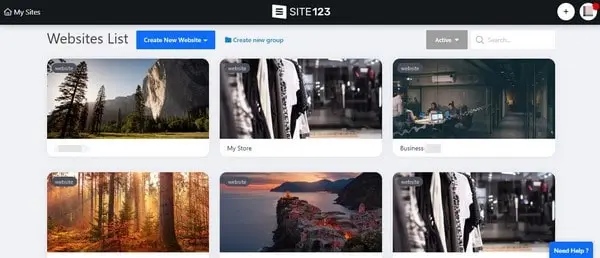
SITE123 is my pick here when you find Wix’s design choices distracting and want a guided route to a clear website. Its structured editing can keep the focus on the information visitors need: the service, examples, opening details and how to contact you.
I would consider it for a small business, a personal profile or an organization whose owner will update the site independently. Prepare the content and choose suitable layouts, rather than try to recreate every visual detail of a complicated Wix page.
The free plan includes a subdomain, 250 MB of storage and 250 MB of bandwidth. It has no time limit and does not require a credit card to start. Connecting a custom domain requires a paid package. The public FAQ quotes an annual starting offer of $10.80 per month, paid upfront; confirm the package, location and subscription term shown to you.
The benefit is consistency with less layout work. If a distinctive custom composition is central to your brand, build that particular page first and check whether the available structure suits it. My SITE123 review explains the editing workflow and business tools.
I would not move simply because another editor appears easier in a screenshot. Try changing a service page and completing an enquiry on a phone; those routine tasks are a better basis for choosing.
3. Squarespace: A Coherent Design System for Portfolios and Service Sites

| Best for | Portfolios and service websites |
|---|---|
| Editing | Templates and Fluid Engine |
| Blog | Built in |
| Free option | Trial; paid publishing |
| Selling | Plan and product fees apply |
| Main advantage | A consistent managed design workflow |
Squarespace is a useful alternative when you want a more coherent design workflow rather than more freedom to add elements everywhere. It combines templates, typography and site styles within an integrated environment, which can suit portfolios, creative businesses and service sites.
Fluid Engine offers grid-based visual editing for supported page sections. I would use the trial to build the page with the most difficult content, then check its mobile arrangement. A polished template preview does not show how your own long headings and uneven image collection will behave.
Squarespace also has a built-in blog and selling tools. It is not automatically a cheaper or simpler replacement for every Wix business workflow. Check the exact forms, bookings, payments and integrations you use, including services that may carry their own subscription.
Its current plans and offers vary by region and account. Compare the full subscription with additional services, sales fees and renewal costs rather than rely on legacy plan names. My Squarespace review covers the current design and business setup.
I would choose it for an owner who likes the editing system and whose required functions fit the platform. If you are leaving Wix because of a specialized integration, verify that integration before evaluating template style.
4. WordPress: More Control over Content, Features and Hosting

| Best for | Content growth and flexible functions |
|---|---|
| Software | Free and open source |
| Editing | Blocks and a selected theme |
| Extensions | Plugins and custom development |
| Live-site costs | Hosting, domain and optional tools |
| Responsibility | Updates, backups and support |
WordPress is the option I would investigate when the reason to leave Wix is control: a different content structure, a required integration, specialist functionality or the ability to choose hosting. Here I mean self-hosted WordPress.org, not a WordPress.com subscription.
Ordinary editing does not require coding. Its block editor handles pages and posts, while a block theme adds wider site editing. The important choice is a sensible theme and toolset that the owner can manage, rather than the largest possible collection of plugins.
The publishing features include drafts, scheduling, revisions and user roles. Its extension ecosystem can develop a project further, but a required feature still needs to be evaluated for compatibility, maintenance and cost. Flexibility is valuable when it solves a defined need.
The software has no licence fee; a live website normally still needs hosting and a domain. Somebody must own updates, backups, security and recovery. A host or specialist can handle some of that work, but the scope should be clear. My WordPress review explains the practical balance.
I would not choose WordPress merely because it is described as free. I would choose it when its control and extensibility justify the setup and ongoing responsibility, with a realistic plan for rebuilding the relevant Wix content and features.
5. Shopify: A Store-First Alternative When Selling Drives the Project

| Best for | A business centered on selling |
|---|---|
| Core workflow | Products, checkout and orders |
| Extensions | Commerce apps and integrations |
| Entry plan reference | Basic: $29/month billed yearly |
| Additional costs | Apps and payment-related fees |
| Before moving | Test the complete order process |
Shopify belongs on the shortlist when the website is primarily a store and its daily selling workflow is the reason you are considering a change. I would evaluate it around catalogue management, payments, fulfilment and the channels through which the business sells.
Wix can already support ecommerce, so the comparison should be specific. Test the product options, shipping destinations, payment method and order administration that matter to your business. A requirement for a particular commerce integration is a stronger reason to move than a general claim that one platform scales better.
The US-dollar pricing offer lists Basic at $29 per month on annual billing. That is a $348 annual subscription before apps, payment-related charges or other applicable costs. Promotional trial pricing is temporary, and payment options and prices depend on location.
Review the full bill: the store plan, any paid theme, apps and payment processing. Third-party transaction fees can also apply depending on the payment setup. My Shopify review introduces the platform, but the decisive test is your own store workflow.
I would not select Shopify for a brochure site with little or no selling. For an established store, plan how products, customers, orders, subscriptions and integrations will be handled before changing the public domain.
6. Webflow: Detailed Visual Design and Structured Content

| Best for | Design-led and structured-content sites |
|---|---|
| Editing | Visual control over layout and styling |
| Free option | Starter on webflow.io |
| Custom domain | Paid Site plan |
| Paid references | Basic $15 / Premium $25, yearly billing |
| Main trade-off | More design learning and setup |
Webflow is the option I would consider when the main goal is detailed visual design and a structured content system. It suits a project with someone willing to learn the layout model or a designer responsible for building and handing over the site.
It is not my default recommendation for somebody leaving Wix because the editor feels complicated. Webflow offers finer control over layout and styling, but those controls bring concepts and decisions that need time to understand. Build a representative responsive page before choosing it for a whole project.
The current Site plans include a free Starter option on a webflow.io address, Basic at $15 per month billed yearly for sites without a CMS, and Premium from $25 per month billed yearly for content-rich sites. Check the selected allowances and current offer rather than assume every paid plan includes the same content features.
Site and Workspace plans serve different purposes. A paid Workspace is not automatically the publishing plan needed for a custom domain. Confirm the cost for the site, collaborators and any required additional service. My Webflow review explains the workflow in more detail.
I would choose Webflow for a deliberate design and content requirement, not just to gain a different dashboard. For a client project, include an editing demonstration and a clear handover so ordinary updates do not depend on the original designer.
Is There a Cheaper or Free Alternative to Wix?
SITE123 and Webflow offer free publishing options with platform addresses and limits. WordPress software is free, but hosting and a domain normally remain live-site costs. Squarespace’s trial is not an ongoing free publishing plan, and Hostinger’s managed builder requires a subscription to run the site.
If you need a custom domain, payments or a specific business tool, compare the plan that includes those requirements. A free editor can be useful for preparing a site without being the plan you eventually need. Do not compare a restricted free plan with the full set of features on your paid Wix site.
For an existing website, I would compare the next 12 months of costs on Wix with the complete cost of moving and running the replacement. Include design work, content transfer, paid apps, domain renewal and support. A lower monthly subscription can take a long time to offset a rebuild.
When I Would Keep Wix
I would keep a working Wix site if it supports the business workflow, the owner can maintain it and the problem can be solved without a rebuild. A large image, too many scripts or an awkward page structure is a site problem to investigate, not proof that the entire platform is unsuitable.
The same applies to SEO. Changing platforms does not itself improve rankings, and a poorly planned move can lose useful content or break important URLs. I would first identify a measurable problem and decide whether the replacement addresses its cause.
If the editor is the issue, check which Wix editor the site uses and whether changing the workflow or getting focused help is more practical. Different Wix products and editing environments should not be treated as having identical capabilities or migration options.
What Moving from Wix Actually Involves
For a typical Wix Editor site, plan a rebuild and content transfer rather than assume you can download the whole working website and upload it to a new host. Wix’s hosting guidance explains the platform dependency.
Export options are editor-specific. Wix separately documents a beta Studio Two code export workflow. That should not be generalized into a one-click move from every Wix site to WordPress, Shopify or another builder. Confirm what your particular editor can export and which services the result still depends on.
- Inventory the existing site: Record pages, posts, products, downloads, forms, integrations and URLs that already receive visitors or links.
- Prove the new workflow: Build a representative page and test the most important enquiry, booking or selling process before rebuilding everything.
- Plan content and data: Check which exports exist for each content type, how they import into the destination and what must be recreated. Keep copies of the original text and media.
- Map URLs: Preserve useful paths where practical and prepare relevant redirects on the new site for changed addresses under a domain you control.
- Separate the domain and email: Connecting the domain to the replacement does not require transferring its registration, and neither action transfers the website content. Preserve business email records.
- Launch after testing: Verify mobile layouts, links, notifications, transactions, public access and indexing settings. Keep the old setup available until the replacement and required data have been checked.
My Recommendation
For a simpler managed business site, I would start with Hostinger and SITE123, choosing between their editing styles and the functions the project needs. For a more coherent visual presentation, I would evaluate Squarespace. For publishing and platform control, I would investigate WordPress with a maintenance plan.
Shopify makes sense when selling is central to the project and its order workflow is a better fit. Webflow makes sense when detailed visual design and structured content justify the learning and setup. Neither needs to be the default alternative for a small service website.
Choose the reason to move first, then the platform. If a candidate cannot reproduce the important function or the saving disappears after the rebuild and renewals, it is not the right replacement for your Wix site.


