

The best portfolio website builder depends on how you want to present your work. A designer explaining a project needs different pages from a photographer delivering a shoot or an illustrator selling prints. I would start with the visitor’s decision: what should somebody understand about your work, and what should they do next?
For a portfolio that also needs business pages, I would compare Wix, Hostinger Website Builder and SITE123. Portfoliobox and Pixpa put creative work at the centre, Squarespace offers a consistent wider site, and Readymag or Semplice give more weight to individual presentation. WordPress suits a portfolio growing into a larger publishing project. If your main requirement is client proofing, photo delivery or print sales, my photography website builder comparison takes a closer look at those workflows.
Compare the Portfolio Builders
| Builder | Best starting use | Free option |
|---|---|---|
| Wix | Portfolio plus business tools | Branded website |
| Hostinger | A focused freelance website | No permanent free plan |
| SITE123 | A straightforward first portfolio | Branded website |
| Portfoliobox | Creative work and client services | 5 pages; 30 images |
| Pixpa | Portfolio plus galleries and selling | 15-day trial |
| Squarespace | Consistent project presentation | Trial |
| Readymag | Editorial and visual design | 1 project; up to 10 pages |
| Semplice | Detailed WordPress case studies | No free edition |
| WordPress.org | Portfolio plus expanding content | Free software only |
Choose Around the Work You Need to Show
For design, architecture or development, I would prioritize case studies with enough room to explain your role and decisions. For illustration or other image-led work, gallery organization and image presentation may carry more weight. A student portfolio needs a clear route through a small selection of strong projects; an established studio may need categories, team information and a more developed enquiry process.
Decide whether the site primarily needs to show, explain or sell work. A public portfolio and a private client gallery are different tools. So are a project page and an online store. My guide to choosing a builder helps turn those requirements into a shortlist before comparing plans.
Nine Portfolio Website Builders
1. Wix: A Portfolio That Can Grow into a Business Website

| Best for | Projects plus business pages |
|---|---|
| Editing | Flexible visual layouts |
| Free option | Branded Wix site |
| Project pages | Portfolio collections |
| Main decision | Choose required apps and plan |
Wix is my starting point when a portfolio needs to do more than display work. You can present projects alongside service pages, an about page, a blog and a clear enquiry process. This suits a freelance designer or small creative business whose website needs to explain both the work and the offer behind it.
The portfolio tools organize work into projects and collections, so visitors can browse relevant examples instead of scrolling through one long image page. The wider editor gives you room to add context: your role, the problem, the process and the result. I would test one complete case study before spending time decorating the home page.
A free site is useful for trying the workflow; your own domain and removal of Wix branding require a paid plan. Extra business functions can affect the plan or app budget. Choose Wix for that wider flexibility, rather than because you expect to use every feature. My Wix review covers the editor and business tools.
2. Hostinger Website Builder: A Straightforward Portfolio on a Budget

| Best for | A focused freelance website |
|---|---|
| Editing | Visual page builder |
| Free option | No permanent free plan |
| Presentation | Galleries and service pages |
| Main decision | Initial term and renewal |
Hostinger Website Builder is a practical option for a portfolio with a relatively simple structure: selected work, a short introduction, services and contact information. I would consider it for a freelancer who wants to maintain the site personally and keep the project from becoming a technical task.
The visual editor makes it possible to combine gallery-style presentation with the business information surrounding the work. A useful portfolio does not need dozens of effects: consistent project pages and a visible way to contact you can matter more. Use your own images and descriptions when evaluating the layout, because a template’s sample photographs can hide weak content organization.
This is a paid builder, separate from running WordPress on Hostinger hosting. Compare the amount paid upfront and the renewal cost, especially when the advertised monthly equivalent covers a long prepaid term. For elaborate case-study layouts or specialist client workflows, verify the exact requirement first. My Hostinger builder review explains the product and its former Zyro name.
3. SITE123: A Simple Portfolio You Can Update Yourself
| Best for | A clear first portfolio |
|---|---|
| Editing | Guided page structure |
| Free option | Branded SITE123 site |
| Presentation | Portfolio and gallery pages |
| Main decision | Layout simplicity or freedom |
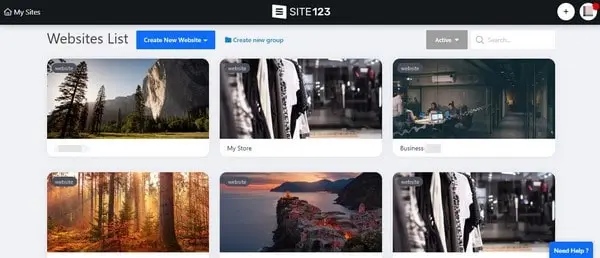
SITE123 works well for someone who wants a clean place to show work without arranging every element manually. Its structured approach suits a first professional portfolio, a small service business or a creative who values an easy update process over unusual page composition.
Portfolio pages, image and video galleries, contact forms and supporting pages give you the main pieces of a working portfolio. You can explain your background, show selected projects and invite an enquiry within the same site. I would keep navigation short and make sure each example tells visitors what you contributed, rather than publish an unexplained image archive.
The free option lets you start on a branded address; a paid package is the route to your own domain. The editor’s structure is part of its appeal: it reduces decisions and helps maintain consistency. If a highly individual layout is central to your identity, compare that requirement with the more flexible design tools below. My SITE123 review covers its everyday workflow.
4. Portfoliobox: Portfolio Pages with Tools for Creative Client Work

| Best for | Creative services and projects |
|---|---|
| Presentation | Mix-and-match page layouts |
| Free option | 5 pages; 30 images |
| Business tools | Bookings, quotes and invoices |
| Main decision | Image and page allowances |
Portfoliobox puts a creative portfolio at the centre of the website rather than treating it as an extra page type. Its gallery layouts and project presentation make it relevant to designers, illustrators, architects and other creatives who want to organize different kinds of work within one site.
The broader attraction is the connection between presentation and client work. The platform offers bookings, quotations, invoicing and selling tools, with availability determined by the plan. That can be useful when a visitor moves from viewing a project to asking about a commission. Check the actual workflow you need instead of assuming that every business tool is part of the free account.
The current free plan allows five pages and 30 images on a Portfoliobox subdomain. That gives a small selection of work a place online, while larger portfolios and professional business tools call for a paid plan. Plan around finished projects and image counts; a few detailed case studies can use more images than a simple grid suggests.
5. Pixpa: A Portfolio Connected to Galleries and Selling

| Best for | Visual work with client galleries |
|---|---|
| Presentation | Portfolio, blog and store |
| Free option | 15-day trial |
| Client work | Proofing and delivery options |
| Main decision | Website versus gallery needs |
Pixpa brings portfolio pages, a blog, a store and client galleries into the same product family. I would consider it when showing work and serving clients belong together: an illustrator selling selected work, a designer presenting visual projects or a photographer who needs more than a public gallery.
The useful distinction is between the portfolio visitors browse and the private material a client receives. These are different jobs, even when they share the same branding. Pixpa’s client tools can cover proofing, downloads and image sales, while the public site explains your work and services. Check which website and gallery allowances the intended subscription includes.
There is a 15-day trial rather than a permanent free website plan. I would use it to build a project page and try the client-facing step you actually need, rather than compare only template thumbnails. For a purely editorial or experimental portfolio, Readymag or Semplice may be a closer match; Pixpa’s particular appeal is its combination of visual presentation and practical creative-business tools.
6. Squarespace: Consistent Project Pages and a Polished Wider Site

| Best for | A coherent portfolio and brand site |
|---|---|
| Presentation | Portfolio pages and projects |
| Free option | Trial; paid publishing |
| Supporting content | Blog and business pages |
| Main decision | Structure versus custom layout |
Squarespace is worth considering when you want the portfolio, about page and wider website to feel visually consistent. Its approach suits creatives who prefer a coherent design system over building every page from a blank canvas.
In version 7.1, portfolio pages act as an index leading to individual projects. Each project can combine images and text, which is more useful for case studies than an image grid alone. A designer can explain a commission; an architect can organize a project into spaces, details and a short account of the work.
I would try your longest project and check the route back to other work before choosing. The platform requires a paid subscription for ongoing publication, and extra business services can add to the total. It is a good fit for a structured portfolio with a wider site around it; highly experimental layouts may lead you towards a different editor.
7. Readymag: Editorial Layouts and Individual Visual Direction

| Best for | Art direction and editorial work |
|---|---|
| Editing | Design-focused canvas |
| Free option | 1 project; up to 10 pages |
| Custom domain | Paid plan |
| Main decision | Responsive layout work |
Readymag is the more design-led option for a portfolio that needs its own visual language. I would look at it for art direction, editorial design and projects where typography, composition and pacing help explain the work itself.
That freedom also changes the workload. A deliberately arranged desktop page needs attention on smaller screens, and animations should support the story rather than obscure navigation. Test a detailed project with real copy and imagery, then check whether adding the next case study will be straightforward. An attractive one-off layout is not automatically an efficient publishing system.
The Free plan includes one published project with up to ten pages. Custom domains and additional publishing capabilities require a paid plan, with allowances for views and collaborators to consider. I would choose Readymag for its visual control, rather than as a substitute for specialist client proofing or a large content-management system.
8. Semplice: Detailed Case Studies on Your WordPress Website

| Best for | Individual project case studies |
|---|---|
| Platform | Self-hosted WordPress |
| Free option | No free edition |
| Purchase | Paid software licence |
| Main decision | Site upkeep and edition features |
Semplice is a portfolio-focused design system for self-hosted WordPress. It suits a designer or studio that wants to shape individual case studies while retaining responsibility for its own WordPress website.
The appeal is a project page that can carry more than a cover image and caption. You can build a sequence around the brief, your contribution, design decisions and final work. Password-protected projects are useful when some material should be shown selectively. Edition differences matter: advanced grids, reusable blocks and other studio tools are not identical across the licences.
The software licence is a separate purchase from the domain, hosting and site maintenance. I would choose it if the portfolio’s individual presentation justifies that ownership work, and I would check the edition details before buying. It is less convenient for somebody who primarily wants a hosted account they can publish and leave to the provider.
9. WordPress.org: A Portfolio That Develops into a Larger Content Site

| Best for | Projects plus growing content |
|---|---|
| Editing | Theme and block editor |
| Free option | Software; running costs extra |
| Extensions | Themes and plugins |
| Main decision | Maintenance and compatibility |
WordPress.org is the flexible route when a portfolio is one part of a larger website. It makes sense for a creative business that also publishes substantial articles, needs custom content structures or expects to add features beyond a conventional portfolio.
The result depends on the theme, editor and plugins you choose. A portfolio theme can supply project layouts, while other extensions handle functions such as forms or selling. This is not the same as every function being included in WordPress itself. A small, well-chosen setup is usually easier to maintain than a collection of overlapping plugins.
The core software is free, but an independently hosted website still needs a domain, hosting and somebody responsible for updates and backups. I would choose WordPress for a concrete growth requirement rather than for flexibility in the abstract. If your entire site is six projects and an about page, a hosted portfolio builder may be the simpler route.
Can You Make a Portfolio Website for Free?
Yes. Wix and SITE123 let you publish a branded site, Portfoliobox offers a small free portfolio, and Readymag gives you one published project with up to ten pages. Those can work for a student, a side project or a first selection of work. Check the published address, branding and image allowance rather than treating every free plan as equivalent.
Free software is different from a free hosted website. WordPress.org does not charge for its core software, but running the site still has costs. Semplice requires a licence as well as a WordPress setup. Hostinger, Pixpa and Squarespace need a paid route for ongoing use rather than a permanent free publishing account.
A custom domain is worth budgeting for when the portfolio becomes part of your professional identity. Compare the renewal, required apps and any client-gallery subscription as well as the first payment. My guide to website costs explains how to build that budget.
Test One Complete Project Before Paying
I would use the same representative project in two shortlisted builders. Include a cover image, a short introduction, your role, several supporting images and the next action you want visitors to take. Then check:
- Project structure: can you explain the work without turning every page into a long image strip?
- Mobile reading: are captions, images and project navigation comfortable to use on a phone?
- Image handling: do crops preserve important details, and does the page remain manageable with your own files?
- Routine updates: can you add the next project without rebuilding the design?
- Enquiries: does the contact route work and send the information you need?
- Privacy: if you need restricted work, check the available access controls and obtain permission to publish client material.
Keep original images and written case studies separately. A portfolio can be small at launch, but it should be easy to maintain as your work changes. If you want examples of a simpler approach, the Google Sites portfolio examples show how selection and explanation can matter as much as an elaborate editor.
Which Portfolio Builder Would I Choose?
I would start with Wix for a portfolio supporting a broader creative business, Hostinger for a focused site on a controlled budget, or SITE123 for guided editing. Portfoliobox and Pixpa are useful when client work belongs alongside the public portfolio. Squarespace suits a coherent project-based site; Readymag and Semplice deserve a closer look when visual direction is the deciding factor.
WordPress is the option I would investigate when the portfolio must grow into a larger content website. Choose around your next few real projects and the way you will maintain them, rather than the longest feature list. A clear selection of work, useful context and a dependable contact route should come first.


