

Choosing the right developer for your future website is a tough process. It contains so many factors to consider. Is it going to be a freelancer or an agency? How much will the project cost? How to find a trusted specialist? Is it better to handle the building process using website builders?
To answer those questions it is necessary to have a clear understanding of the project’s future goals and key objectives.
It is vital to define the pages’ structure, menu, and features you want to have on your site. Whether it is going to be a blog, a digital store or a company’s website.
How to Hire & How Much to Pay Someone to Build a Website:
After you clarify all the implementations you need, it will be easier to choose a proper web developer. Check our detailed guide on how to choose someone to build a website.
1. Decide Who You Need
You may need to build a website from scratch or only make some modifications to an already existing site. For this reason, you need to think carefully about who you actually need to handle the task.
 |
| to Build Your Website! |
Web Designers vs Web Developers
Most newbies cannot see the difference between designers and developers. It is a first common mistake to avoid. We are going to clarify the difference:
- A Designer – it is mainly a person who customizes the appearance of the site. He or she deals with creating icons, buttons, images and other elements for the page. They work with different graphics editors and design programs;
- A Developer – is the person who deals with the website’s implementation. He or she writes codes, ads scripts, edits site’s files as well as works with other instruments related to web development.
While web technologies evolve, more and more web designers are involved in the implementation process as well. A web designer actually combines the functions of developer and traditional designer featuring expertise in HTML, CSS and some other programming languages.
Full-Time Specialist vs Freelancer
Now when you know who you actually need to accomplish the task, it is high time you decided on where to look for a web developer. Whether it is going to be a freelancer, a full-time specialist or a full-cycle development agency. The choice would totally depend on the details of the project:
- Freelancers – they appear to be a better option in case you only need some slight modifications. Both parties are able to negotiate the time and bids in advance. Freelancers may also come in handy in case you require day-to-day running over the time;
- Full-Time Specialists – they are a good option if you constantly need to handle changes and improvements on your website. It makes sense if you want someone to take care of the project on a constant basis. It usually refers to some complicated websites that call for plenty of handworks (huge news portals, forums, etc.);
- Full-Cycle Agencies – this option is the best bet for people who require full-cycle services from building and maintaining the website to producing SEO-friendly content, promoting the site, etc. Agencies like SiteBuilders.PRO, for example, usually have a pool of experts in different fields from coders and designers to copywriters, promoters, and marketers. As a trusted full-cycle agency, they will help create any type of website from scratch. They also offer professional website migration services from/to popular website builders and CMS. The team of industry pros uses an individual approach to each and every project, handling all the related nuances in no time.
Your choice will affect the cost of the project. Full-time developers and agencies usually charge more if compared with freelancers. It is always better to plan your work scope beforehand to stick to the budget.
2. How to Find a Trusted Web Developer?
The Global Web reserves much space to look for someone to build a website for you. Users can check for some leading freelance networks like UpWork and Fiverr or check the list of local companies and agencies. Although one would hardly face problems when finding an executive, most people fail to define a trustworthy specialist from an amateur.
Experienced Developers vs Amateurs
- Experienced Specialists – they work faster with minimum mistakes. It results in less debugging and lower costs. On the other hand, they charge higher rates;
- Amateurs – despite lower rates, inexperienced developers spend more time on fixing bugs and correcting mistakes. Their work requires extra revisions, which results in more hours.
Some find it hard to get a proven professional. For this reason, we conducted a list of questions that will help you choose an experienced web developer as well as save your time and money:
- What is the inclusive project cost? Make sure the collaboration conditions are clear without hidden fees. You need to clearly understand what you pay for and what you get for that money.
- How long will the process take? An experienced developer will always consider possible unpredictable occasions. They may result in delays. For this reason, an accurate time estimation is vital.
- What does the price include? Find out if the price already includes both designing and development, so there I no need to hire more specialists.
- Who will be working on the project? If you opt for an agency, it is better to review the list of all specialists who will work on the website. This is to make sure they have enough skills to handle the project.
- Ask for the portfolio. It does not matter if you hire a freelancer or a full-time specialist. Always ask them to show their portfolio. You may find websites that are close to your project. It means that the specialist will certainly manage.
- Ask about the CMS type. You are the one to proceed with further website handwork. Make sure you understand how the system works. Sometimes it is up to you what CMS to use. Moreover, reputable agencies offer special training courses and CMS guides.
Don’t forget to check the reputation on the web reading testimonials and reviews by previous customers.
3. How Much Does It Cost?
It is high time we got to numbers and figures. The first and foremost thing you need to figure out is whether you pay a fixed fee or an hourly rate. Both types of payments feature some hits and misses. We offer a simple way to make up your mind on the best-matching structure:
- Hourly Pays – best for small projects that do not take more than a week. The structure considers hiring a freelancer;
- Fixed Price – good for complicated huge websites that take several months to develop. The structure considers hiring a full-cycle agency with all actions included in the price.
NOTE: keep in mind that the website building costs are individual. They depend on numerous factors such as complexity, web building technologies, timeframes, and more. Having a clear blueprint of the project will let you estimate at least the average site price.
Factors that Influence on Website Costs
Check the list of factors that determine the final cost of the website building process:
- Hiring a Freelancer to Build a Website of Medium Complexity – about $2,500 per a single site. The minimum price for a professional portfolio or simple online store may start from $1,000 and rise up to $3,000 per week depending on components and features you need.
- Hiring an Agency to Build a Website of Medium Complexity – up to $50,000. The minimum price for a company’s website starts from $10,000. If you require full-cycle services such as SEO, Maintenance & Support, preparer to pay up to $50,000.
Considering such rates, handling the website building process yourself looks like a more cost-effective solution. Moreover, website builders make it easy to handle with sites of any type and complexity without special skills. It will hardly cost you more than $80 per year!
4. Hiring a Developer vs Website Builder
Website builders come as a faster and more cost-effective solution to build a site from scratch. They save our time and make it easy to manage the project yourself without involving third parties. They are cheaper and easier to use.
While hiring a web developer may take up to several months to complete the project, the online software requires 2-3 hours to create and publish a ready-to-use website. We have highlighted some of the most affordable and popular platforms.
WordPress + Elementor – The Most Convenient Way to Set Up a Simple Website
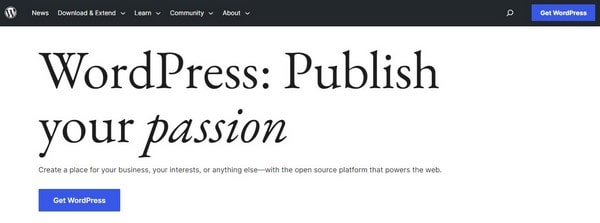
WordPress – is the #1 CMS with millions of active users around the globe. The platform was initially launched to create content-based websites, blogs, and small business sites. However, it has evolved over the years offering new ways to expand the project turning it into a digital store.
The tool itself may require a bit of learning curve and coding although the content editor is very intuitive (see Elementor review) and hardly differs from typical drag-and-drop instruments. This is what makes the WordPress+Elementor bundle a convenient way to set up a simple website both for beginners and web design pros.
Moreover, as an open-source tool, WordPress reserves more flexibility and freedom in terms of web design or customization.
- Ease of Use – WordPress is a user-friendly software that allows setting up websites, even without any deep coding knowledge (although, baseline proficiency may be required here). When combined with Elementor, it becomes even simpler to create a website due to the drag-and-drop interface of the system.
- Flexibility – WordPress provides access to the template source code. Users are able to modify the code, add new functions, create custom design elements etc. to launch any project. With Elementor, it is even easier to create pages with different layouts and designs.
- Customizability – Elementor offers a wide range of customization options to create a unique website design. You can choose from pre-designed themes or create your own design using the benefits of the drag-and-drop editor.
- Plugins and Templates – WordPress boasts probably the most extensive plugin selection to add on-site (from analytics and contact forms to galleries, anti-spam instruments, shortcodes, etc.). Users also have an opportunity to choose from thousands of paid and free templates that refer to literally any business niche.
- SEO-friendliness – WordPress is built with SEO in mind. There are several SEO plugins to help you optimize your website for search engines. With Elementor, you can also create SEO-friendly content and meta descriptions.
- eCommerce – Plugins like WooCommerce make it possible to set your own online shop. Little coding is required here, while all major settings are intuitive. You get a fully functional product management tool that is the same as any other drag-and-drop editor.
As to the cost of website creation, WordPress and Elementor are both free to use from the very beginning. However, you will need a domain name and hosting to go live with your website. This is where WP-optimized server solutions will come in handy.
Bluehost is the best hosting provider to power WordPress sites of any type. It offers a 1-year domain, integration with WP, free plugins, themes, and other features in each plan starting at $2.95 per month. It sounds like a real bargain considering system updates, backups, and WP custom dashboard already included in the price. Extra costs may be associated with extra integrations (if you need any for your website).
Some budget should be allocated to Elementor plans, if you decide that the free version does not cover your needs. The cost of Elementor subscriptions starts at $49 per year and increases with regard to the number of websites and services/tools included.
Finding a WP enthusiast or experts to help with site setup, plugin integration or customization is a piece of cake when it comes to WordPress. The CMS boasts global popularity and, thus, it has an expert community worldwide. They will help create a new site from scratch or modify the existing one. Moreover, users will find tons of video tutorials, blogs, forums and other sources of information.
SITE123 – The Quickest Website Start
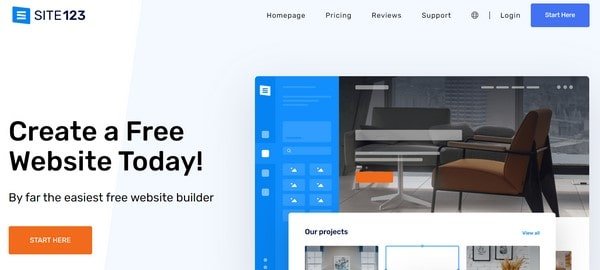
SITE123 – is a simple DIY website builder that guarantees the quickest start for your website and offers various features and benefits for professional project development. It targets businesses and individuals – from bloggers and up to large companies, granting access to multiple templates, features and tools to set up full-featured and mobile-ready projects that are well-optimized for the search engines.
The platform provides a variety of templates and tools to assist users in creating websites that are visually appealing, mobile-responsive, and optimized for search engines. The website builder is intuitive and straightforward, letting users create projects with no coding experience. The drag-and-drop editor simplifies the process of adding content, images and other website elements, making it easy and quick for everyone. Here are some of the benefits of using SITE123 for website creation:
- User-Friendly Interface – SITE123 is a user-friendly platform that is easy to use, even for those who have no prior experience with website creation. The platform offers simple and understandable guidelines on how to get started with your project.
- Pre-Designed Templates – The website builder has quite an extensive collection of pre-designed templates that are free, customizable and visually appealing. The designs are also mobile responsive, which means that they can adapt to various screen sizes to make the project display great on any device.
- eCommerce/Blog Integration – The platform comes with built-in eCommerce and blogging engines, letting you connect third-party extensions and services for quality web store/blog creation.
- Logo Tools – SITE123 makes it possible to create and integrate business logos into your web project. There are built-in tools and elements you can use when working on your unique and personalized logo. These include a cropping tool, header size adjustment feature, logo size slider, font/style settings etc.
- Multilingual Support – With SITE123, you can set up a multilingual website with a single click only. There is no longer the need to create separate language versions of your project – just add the required languages to it. Mind, however, that the number of language versions is up to 5. This depends on the terms of your pricing plan.
- App Market – If you need more integrations, go ahead to choose them in the App Market. There are multiple apps there – free and paid, which are divided into categories based on the project type and their implication (Analytics Tools, Live Support Chat, Pricing, Online Store, Marketing Tools, Forms, Booking, Galleries, Webmaster Tools etc.).
- SEO Optimization – SITE123 offers a set of tools for SEO optimization (including meta tags and descriptions) that make it easier to improve your project visibility in the search engines.
SITE123 is one of the most affordable website builders out there. It has a completely free plan that provides baseline website functionality. Premium subscriptions offer more advanced features, including a custom domain name, increased storage and advanced eCommerce functionality.
An interesting issue is that the pricing policy depends on the location aspect and IP used, when picking a subscription. This means that you can get the same plan at different cost depending on the location selected. The cost starts at $12.80 per month.
Speaking about customer support options, the website builder has a team of experts available 24/7 who can assist users with any issues they may encounter. The support is provided in English, Spanish, Italian, Portuguese and French here. Additionally, there is a Help Center, welcoming video tutorials for newbies and opportunity to get a ticket for a personal consultation.
WooCommerce – The Best eCommerce Solution
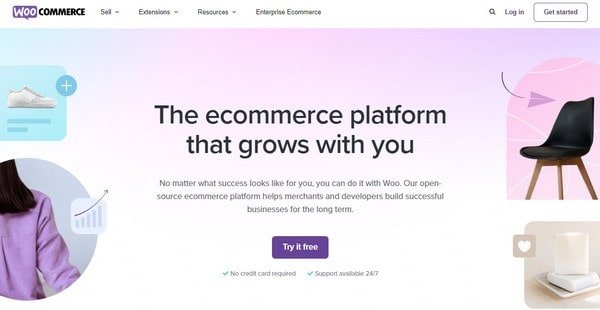
WooCommerce – is the best eCommerce solution that comes as a WordPres plugin and makes it possible to launch, customize, manage and promote various types of web stores. They may differ in size, integrated functionality, characteristics, built-in tools and budget. With WooCommerce, you can easily sell physical and digital products, manage your inventory, process payments as well as handle shipping and taxes nuances.
The software is user-friendly and not that difficult even for those who have limited technical skills. It has a simple and intuitive interface that makes it possible to set up your store and manage products/orders with ease.
WooCommerce is also highly customizable and flexible, offering a wide range of themes and plugins that can be used to create a unique and personalized web store. This lets you tailor your project to your specific eCommerce needs to ensure that it stands out from the crowd. The major software advantages are as follows:
- WordPress Integrations – Since WooCommerce is built on top of WordPress, you can easily integrate your online store with other WordPress plugins and services. These may include email marketing tools, social media platforms, shipping/payment systems etc. As a result, you can easily create a trusted web presence for your business.
- Scalability – WooCommerce is quite a scalable platform, meaning it can handle any number of products or customers without affecting your web store load speed. This makes the platform a great choice for businesses of all sizes – from small startups to large enterprises.
- SEO-Friendliness – The software is well-optimized for search engines. This can help you rank higher in search engine results and drive more traffic to your online store. The platform also grants access to a range of SEO plugins that can help you with further web store optimization.
- Geo-Location Support – WooCommerce has a built-in geolocation tool used to identify customers’ addresses. As a result, this helps control shipping/tax settings, target advertisements and effectively implement discounts for marketing purposes based on the determined location.
- Payment Processing Tools – Along with built-in payment methods (PayPal, Stripe, WooCommerce Payments, Klarna Payments, Cash on delivery, Direct Bank Transfers etc.), the software allows integrating third-party plugins and extensions (Square, Affirm, Monaris, Sage, Opayo etc.). Multi currency support is available here as well.
WooCommerce is a free open-source plugin for WordPress. This means that there are no licensing fees or ongoing costs associated with its download, integration and further application. You only need to pay for web hosting, domain and any premium themes or plugins you decide to integrate.
In terms of support options, WooCommerce does not offer personal assistance via phone, live chat or email. However, there is an opportunity to connect with the support team using a ticket. Mind that support hours for scheduled live chats are also limited here by time. You can contact the team from Monday to Friday during previously specified hours. At the same time, FAQs, videos, community forum, blog and social media resources are available 24/7.
DIY Website Development or Hiring an Expert – What Is Better?
Summing it all up, you basically have two options to set up a website. It is either possible to create it independently or hire a web design expert to do that for you.
If you have much spare time and are ready to spend it improving your coding skills and exploring all the software nuances, you can try starting a website on your own. Mind that your project complexity may differ, so you have to be ready to deal with minor and large web design nuances to successfully complete the task.
However, if you don’t have time to wait and need a quick and surefire result, then it definitely makes sense to hire a professional. When your website is ready, go ahead to improve and practice your skills, contributing to its further development and ongoing maintenance.
|
| to Build Your Website! |
FAQ
Question: How to find a website designer near me?
Answer: There are several reliable ways to find a web designer near you. Check your local business directories using the search filter option for quicker results. Ask your friends, family or colleagues for referrals. You can also browse trusted freelance websites, social media platforms or join local business groups/communities to ask for recommendations or post a request there.
Question: Should I pay in advance for a web designer’s work?
Answer: Paying in advance for a web designer’s work is quite a common practice in this industry. On the other hand, this may be a risky solution, especially if you work with a new or unknown designer. To minimize these risks, take your time to find out more about the designer, using testimonials/reviews from previous clients. Check the portfolio to see the available works and ask for references to confirm an expert’s reliability and credentials. It’s also important to have a clear understanding of the payment terms and project-related services before making any payments. It is recommended to have a written contract that outlines the project timeline, payment schedule and other related issues.
Question: What is better – a single freelancer or a company?
Answer: Deciding between hiring a single freelancer or a company for your project depends on your specific needs and priorities. Both options have their pros and cons. Hiring a single freelancer can be a good option if you have a small project or a limited budget. However, working with a single freelancer can be quite risky. Freelancers may lack expertise to handle more complex projects and they may be less reliable in terms of meeting deadlines and communication. Working with a web design company, in its turn, can grant access to more resources. Companies often employ a larger team of professionals who can work on your project, ensuring that it is completed on time and with adherence to high standards. However, working with a company is always more expensive. You may also have less direct contact with the team working on your project, which may result in limited customization options.
Bottom Line
It is up to you and your budget whether to hire someone to build your website or opt for an online platform. On the other hand, modern software has proved to be a more cost-effective and simple solution. You will spend less time on creating a site from scratch as well as get involved in the process yourself. It is obviously a better option for basic websites and small eCommerce projects. Have a look at all benefits that let modern platforms oppose web development teams.
| Web Developers | Website Builders | |
| Price: | about $2,000 for a basic site + annual domain and hosting costs ($50-$70) | About $100 annually including domain and hosting |
| Skills: | No technical skills required (only for further maintenance and management) | No technical skills required. Intuitive drag-and-drop editor. |
| Design: | Custom website design | Free mobile-optimized templates for different website categories |
| Flexibility: | Additional functionality for the extra price | Free apps, widgets, and third-party integration |
| Extra Costs: | You will need to find a place to host your website | Domain and hosting included in the plan |
| Complexity: | Website of any complexity | Good for basic websites as well as sites for small business, eCommerce, company’s websites, etc. |
Website builders are cheaper and easier to use. They are faster to come up with the ready-to-go project. However, the lack of technical skills and experience can be a stumbling block on the way to building a more complex project.
Their expert guidance eliminates the need to hire large web design companies charging enormous budgets for their services. Likewise, you won’t have to deal with intricate nuances of the DIY website creation process, which frequently takes much time and effort. Instead, you will cooperate with a team of industry pros, who will pay individual attention to your project to come up with the best offer. Whatever type of website you need, you can absolutely rely on them.


